Blog
Google Analytics (GA4) checks for the holiday rush
November 9, 2026 · 5 min · Neil Black
- Google Analytics
- holidays
- small business
Thanksgiving is Thursday, November 26. Between now and New Year's Day, more people will open a local site for hours, a sale, or a way to book. Google Analytics, the current version called GA4, shows whether those visits happened and whether anyone reached you. Hours and the wording of an offer belong in the holiday checkup.
Confirm Google Analytics is collecting data
Many reports take 24 to 48 hours to process. Google's page on confirming collection (opens in a new tab) says to use the Realtime report for a same-day look.
Realtime (opens in a new tab) is under Reports, then Realtime. It shows users active in the last 30 minutes and an event count by event name, one way to check that the tag on the site is working. An empty report can simply mean nobody is on the site, so open your own page and look again. An Editor or above can add the report back if it is missing.
Tag Assistant (opens in a new tab) does not wait on other visitors. Sign in, enter your address, and read the Summary tab. Relevant events mean the Google tag is set up. No events means it may not be connected to a destination. No tag points to the site code or the measurement ID, the ID for this property.
Google says Realtime does limited attribution, so use the Acquisition reports for where a visit came from. Open them once this week, and again after New Year's Day.
The Google Analytics reports to open
Where the visits came from
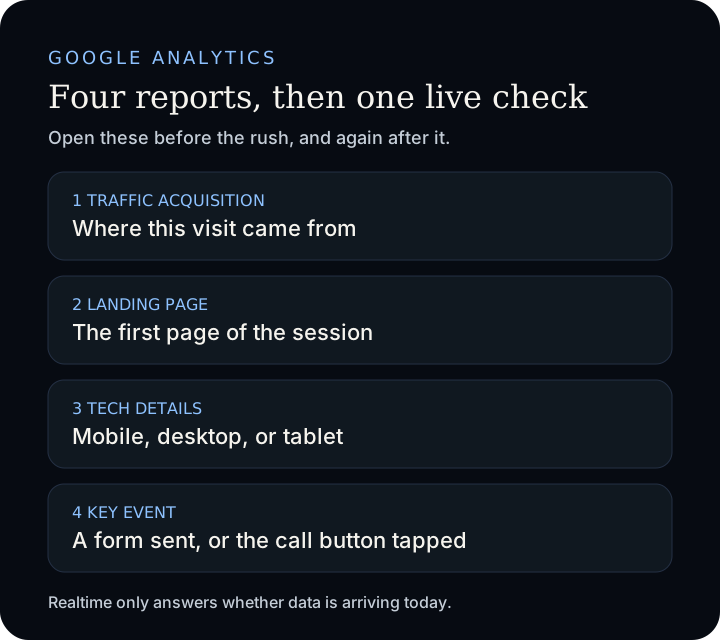
The Traffic acquisition report (opens in a new tab) is under Reports, then Acquisition, then Traffic acquisition. It covers new and returning visitors. User acquisition is new visitors only.
The default column is Session default channel group, meaning the latest visit. The groups include Direct, Organic Search, Paid Social, Organic Social, and Email. To see organic Google Search traffic, search the table for google / organic, Google's own example.
Which page they landed on
The Landing page report (opens in a new tab) is under Reports, then Engagement, then Landing page. It is the path of the first page in a session. In Google's example, www.example.com/homepage1 appears as /homepage1.
For a shop in Huntington Beach, or any other Orange County business, the row that should lead in late November is the page that says whether you are open and how to reach you.
Phone or desktop
The Tech details report (opens in a new tab) is under Reports, then Tech, then Tech details. Device category fills in on its own: desktop, mobile, and tablet. Mobile is the phone row. If that column is missing, an Editor or Administrator can add it. When most sessions are mobile, walk the form on a phone with the contact form checkup.
Count a form or a call
A page view is not a lead. A key event (opens in a new tab) measures an action that is particularly important to the business. People often call that a conversion. In GA4 the name is key event, and Google Ads conversions do not show in the standard reports (opens in a new tab). Marking one does not change older days. Standard reports can take up to 24 hours, Realtime a few minutes after a trigger, and a standard property allows 30 key events. An Editor or above stars an existing event under Admin, Data display, Events.
Do not star page_view. Google's tutorial (opens in a new tab) says that would count every page view. An administrator or editor instead creates generate_lead under Admin, Data display, Events, Create event: name it generate_lead, turn on Mark as key event, choose Create without code, use page_view as the trigger, and enter your confirmation-page address. Open that page and look for generate_lead under Key events by Event name in Realtime. Setup can take a few minutes to a few hours.
generate_lead is the recommended event (opens in a new tab) for a submitted form or a request for information. Recommended events are not sent on their own. The event reference (opens in a new tab) describes it as a lead from a form. What the thank-you should say is in the contact form post.
No separate thank-you page? Enhanced measurement (opens in a new tab) can send form_submit when someone submits a form, with no code change. An Editor or above turns it on under Admin, Data collection and modification, Data streams, the web stream. The parameters Google lists are the form id, name, destination, and button text, not the message the customer typed. Star form_submit once it appears.
A Call link is not an outbound click. Outbound clicks leave your domain for another website. The event setup guide (opens in a new tab) shows how to send an event on a button click, with code after the Google tag or a Tag Manager trigger. Mark that event as a key event and you have counted the tap. Phone Analytics (opens in a new tab) is the separate feature for calls the site drives. Using it requires a clear notice, such as a privacy policy, that call information may be collected with the visit.
Leave private details out
Google's rule (opens in a new tab) bars data Google could recognize as personally identifiable, including email addresses, personal mobile numbers, and Social Security numbers. Laws differ, and the page says to ask an attorney if you are unsure. Each view collects the page address and title, so keep a name, email, or phone number out of a thank-you link and out of a call event.
Data redaction (opens in a new tab) on a web stream tries to remove email addresses, and query parameters you list, before the hit is sent. New properties redact email by default. On an older one, an Editor or above turns it on under Admin, Data streams, the web stream, Redact data. Google calls that cleanup best effort. You are still responsible.
A banner that asks before analytics cookies maps to analytics_storage in the consent mode reference (opens in a new tab): storage such as cookies for analytics, for example visit duration. Denied means Analytics will not read or write first-party analytics cookies, while cookieless pings are still sent for modeling. Google says the page is not legal advice. DebugView (opens in a new tab) stays empty until those cookies are allowed, so accept the banner on your own test before you call the tag broken.
Realtime moves on your own visit, or Tag Assistant finds the tag
Traffic acquisition includes a row for google / organic
The holiday landing page states hours and how to reach you
Device category shows mobile, desktop, and tablet
The key event is the form, or a separate call click
The thank-you address has no name, email, or phone number
Do the pass this week, and open the same reports after the rush. For a second look before Thanksgiving, write to the studio and send the link.
Sources
- Google Analytics Help, Confirm collection (opens in a new tab), Realtime (opens in a new tab), Verify your Google tag (opens in a new tab), and DebugView (opens in a new tab).
- Google Analytics Help, Traffic acquisition (opens in a new tab), Landing page (opens in a new tab), and Tech details (opens in a new tab).
- Google Analytics Help, Report on key events (opens in a new tab), Mark events as key events (opens in a new tab), Set up a key event (opens in a new tab), Recommended events (opens in a new tab), Enhanced measurement (opens in a new tab), Event setup (opens in a new tab), and Phone Analytics (opens in a new tab).
- Google, generate_lead (opens in a new tab).
- Google Analytics Help, Personally identifiable information (opens in a new tab), Data redaction (opens in a new tab), and Consent mode (opens in a new tab).